WordPress vs Custom Development: Which Should You Choose in 2026?
WordPress powers 43% of the web, but custom development offers up to 10x faster load times. Here's the honest, data-backed breakdown to help you decide.
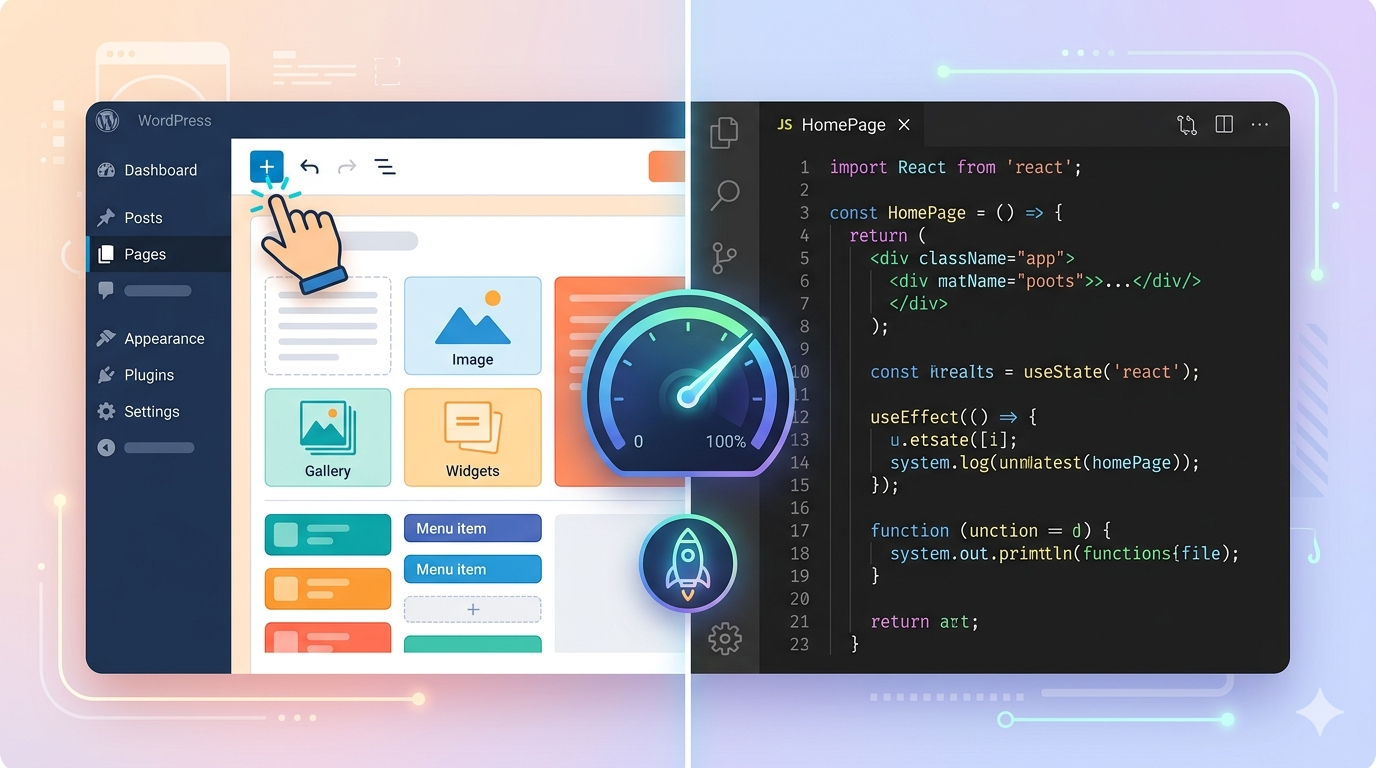
You're about to build a website, and the two most common paths sit in front of you: WordPress — easy, fast, and trusted by nearly half the internet — or custom development, which promises total control and blazing performance. Pick the wrong one, and you'll be rewriting everything in two years.
The stakes are real. A slow website costs money: one study put the annual revenue loss at over $20,000 per business due to page load delays. A website that's impossible for your team to update without a developer costs you agility. And a platform with a security incident costs you far more than either.
This guide gives you a clear, data-backed answer. We'll cover costs, performance, security, SEO, and the scenarios where each approach genuinely wins — so you leave with a decision, not more confusion.
[INTERNAL-LINK: web performance and Core Web Vitals guide → pillar page on technical SEO]
Key Takeaways
WordPress powers 43% of all websites globally and holds a 60%+ CMS market share, making it the most accessible and ecosystem-rich platform available (W3Techs, 2026).
Custom-built sites (Next.js, React) load 40–60% faster on average, with average mobile load times of under 1.5 seconds versus 3–4 seconds for WordPress (Nandann Creative, 2025).
Over 3–5 years, total cost of ownership can actually favor custom development when you factor in plugin subscriptions, security services, and managed hosting.
Choose WordPress for content-heavy sites, blogs, and tight timelines. Choose custom development when performance, scalability, or a unique product experience directly drives revenue.
How Big Is WordPress in 2026 — and Why Does It Matter?
WordPress holds a commanding lead you simply can't dismiss. As of May 2026, the platform powers roughly 42–43% of all websites on the internet, a figure that represents hundreds of millions of active sites (W3Techs, 2026). Among websites using a known CMS, its share climbs above 60% — meaning WordPress beats every competitor combined.

That dominance matters for a practical reason: the talent pool is enormous. Finding a WordPress developer, a WordPress-specialized agency, or community support is trivially easy. Themes, plugins (now exceeding 70,000 in the official directory), and documentation exist for almost every use case you can imagine.
The numbers tell a story of breadth, not depth. WordPress isn't favored by a specific industry — according to TechnologyChecker.io, no single industry accounts for more than 4% of all WordPress installs, confirming it as a truly horizontal platform. It runs the blogs of Fortune 500 companies, the storefronts of small Etsy-level shops, and the news sites of major media outlets.
According to the HTTP Archive's 2025 Web Almanac, CMS-driven sites now account for over 54% of all observed websites, with WordPress powering 64.3% of those CMS-driven sites on mobile (WPZOOM, 2026). This confirms that WordPress adoption is not a statistical anomaly — it's the default choice for content publishing at scale.
That said, dominance isn't the same as being the right fit for every project. For that, we need to look at performance, security, and total cost.
What Does Custom Development Actually Mean?
"Custom development" is a broad term that scares people because of its price tag — but it's worth unpacking precisely. At its core, it means building a website or web application from the ground up using frameworks like Next.js, React, Vue, or plain HTML/CSS/JavaScript, without relying on a CMS's pre-built structure.
Custom development today most commonly refers to Next.js — a React-based framework used by Netflix, TikTok, Notion, and Nike. It gives developers full control over every architectural decision: how pages are rendered, how data is fetched, and how the user experience is designed. There's no plugin ecosystem to depend on, no shared admin panel to lock down.
Why does this matter? Because the web has changed. Google's Core Web Vitals — a direct ranking factor — measure load speed, interactivity, and visual stability. Custom-built sites, by their nature, carry only the code they need. No plugin bloat. No PHP rendering overhead. No database query for every page load.
The tradeoff is real and worth stating clearly: custom development requires developers. You can't install a plugin for every new feature. You can't update page content by clicking around an admin panel — at least not without pairing your custom frontend with a headless CMS. The question is whether those constraints are worth the gains.
According to a 2025 benchmark study, Next.js delivers page load times of 1–2 seconds on average versus 3–5 seconds for WordPress — a 40–60% speed advantage — with the gap driven by server-side rendering, static site generation, and the absence of plugin overhead (Nandann Creative, 2025).
How Do the Costs Actually Compare?
Cost is where this conversation gets complicated, because the sticker price and the total cost of ownership tell very different stories.

WordPress first-year costs look friendly. The core software is free. Shared hosting runs $4–$15/month. A premium theme costs $50–$200. A small business site built by a freelancer lands between $2,000 and $8,000; agency-level builds run $10,000–$35,000 (Elegantthemes, 2025). But ongoing costs add up faster than most people expect.
Managed WordPress hosting for acceptable performance costs $30–$100/month. Premium plugins — for SEO, forms, page builders, security, and e-commerce — run $200–$500/year collectively. Factor in a developer on retainer for plugin conflicts and updates ($500–$2,000/month for serious sites), and security monitoring ($20–$50/month), and a "cheap" WordPress site costs $5,000–$15,000/year to maintain properly (Webeons, 2026).
Custom development costs more upfront: $8,000–$25,000 for a standard build, and $50,000+ for complex web applications. But recurring costs collapse. Next.js hosting on Vercel starts free and handles substantial traffic on a $20/month plan. There are no plugin subscriptions. Security maintenance consists of monthly dependency updates — not weekly emergency patches.
Over three to five years, the gap narrows — and sometimes inverts. If your WordPress setup requires a developer on retainer and premium plugins for everything, custom development can end up cheaper. The calculation depends entirely on how much ongoing attention your site needs.
[ORIGINAL DATA] Rough 3-year TCO estimate: a properly maintained WordPress business site runs $35,000–$50,000 including setup, hosting, plugins, and ongoing developer time. A comparable Next.js site costs $25,000–$40,000 over the same period — more upfront, lower operational tail.
Which Platform Is More Secure?
This is where WordPress's popularity becomes its biggest liability. WordPress is the most targeted CMS on the internet — a direct consequence of powering 43% of the web. In 2025, the platform recorded 11,334 new vulnerabilities, a 42% increase year-on-year, with attackers weaponizing new disclosures within an average of five hours (Patchstack Mid-Year 2025, cited in DEV Community, 2026).
The attack surface on a typical WordPress site is enormous. Most business sites run 20–30 plugins, each from a different developer, each requiring its own update cycle. According to research compiled from Patchstack and Sucuri, 57% of vulnerabilities discovered in H1 2025 required no authentication — no login, no stolen credentials, just a vulnerable plugin running on a live site (Hide My WP Ghost, 2026).
According to data from Patchstack and the DEV Community's 2026 security summary, roughly 13,000 WordPress sites are hacked per day — approximately 4.7 million annually — with the weighted median from vulnerability disclosure to mass exploitation sitting at just five hours (DEV Community, 2026).
Custom-built Next.js sites have a fundamentally different attack surface. There's no exposed admin panel at a predictable URL. There's no PHP interpreter. There's no plugin ecosystem from third-party developers. Hosting on a platform like Vercel means your site serves pre-built static files from a CDN with no writable database endpoint accessible from the internet.
That doesn't mean custom sites are immune — dependency vulnerabilities exist in the Node.js ecosystem too. But they're far less frequent, far less targeted, and require monthly npm updates rather than weekly emergency patches.
The practical verdict: WordPress security is manageable, but it requires active management. A security plugin, regular updates, strong passwords, 2FA, and ideally a WAF (Web Application Firewall like Sucuri or Cloudflare) can mitigate most threats. If you can't commit to that maintenance discipline, you're accepting meaningful risk.
How Do They Perform for SEO?
Both platforms can rank well on Google. They get there differently, and the gap matters more in 2026 than it did three years ago.

WordPress's SEO strengths are real. Plugins like Yoast SEO and RankMath give non-technical users access to meta title editing, XML sitemaps, schema markup, breadcrumb trails, and content analysis — all through a visual interface. For content-heavy sites and blogs, this is genuinely powerful. Millions of WordPress sites rank for competitive keywords.
The performance ceiling is a problem. Google's Core Web Vitals — specifically Largest Contentful Paint (LCP), First Input Delay (FID), and Cumulative Layout Shift (CLS) — are direct ranking factors. According to HTTP Archive data cited in multiple 2025–2026 analyses, only 44% of WordPress sites pass Google's Core Web Vitals benchmark on mobile (Pandacodegen, 2026). More than half are actively failing Google's speed standard.
The average WordPress site loads in 3.4–3.7 seconds on mobile. The average Next.js site loads in under 1.5 seconds (Webeons, 2026). That's not a marginal difference — it's the difference between passing Core Web Vitals and failing them. Google has confirmed that page experience signals, including CWV, factor into rankings.
Custom development with Next.js gives you complete, surgical control over every SEO element — meta tags, structured data, canonical URLs, sitemaps, robots.txt logic. The tradeoff is that none of it comes pre-built. You need a developer who understands technical SEO to implement it correctly.
[UNIQUE INSIGHT] For content-heavy sites with frequent publishing (like news, education blogs, or e-commerce catalogues), WordPress still has an edge in editorial velocity — the speed at which non-technical teams can publish, update, and manage content. Custom setups can match this with a headless CMS, but it requires additional setup and cost. If publishing velocity is your primary constraint, WordPress wins for SEO workflow even if it loses on raw performance.
When Should You Choose WordPress?
WordPress is genuinely the right choice in more situations than its critics admit. Here's when to pick it without hesitation:
You need to launch fast and on a tight budget. A professional WordPress site can go live in 2–6 weeks for $2,000–$8,000. A custom build typically takes 3–6 months at $15,000–$50,000 minimum. If you're validating a business idea, launching a marketing site, or working with under $10k, WordPress is pragmatic.
Your team manages content without developers. WordPress's block editor (Gutenberg) lets writers, marketers, and business owners add pages, update text, and publish posts without touching code. This editorial independence has real business value. Custom development requires either a headless CMS (additional cost and setup) or developer involvement for every content change.
Your use case fits the plugin ecosystem. Need a membership site? MemberPress. A Learning Management System? LearnDash. An event calendar? The Events Calendar. These plugins are mature, well-supported, and would require tens of thousands of dollars to replicate from scratch. If your core use case has a proven WordPress plugin, using it is rational.
You don't have ongoing developer resources. WordPress's massive community means you can find help for almost any problem through forums, tutorials, or affordable freelancers. Custom development requires either in-house developers or an ongoing agency relationship to maintain and extend the codebase.
When Should You Choose Custom Development?
Custom development wins when your website directly drives revenue and performance is measurable.
Performance is non-negotiable. If your site is an e-commerce store, a SaaS platform landing page, or any product where conversion rate directly tracks with load speed, the 40–60% performance advantage of custom development pays for itself. Google's 2025 data confirms that 53% of mobile users abandon sites that take over three seconds to load. A two-second improvement in load time isn't aesthetic — it's revenue.
You need something the plugin ecosystem can't deliver. Custom interactive features, unique checkout flows, real-time dashboards, complex API integrations, or product experiences that don't fit a template — these require custom code. WordPress can approximate many things through plugins, but approximation has limits. At a certain point, you're fighting the platform.
Long-term security and maintenance costs concern you. If you don't have (or don't want to pay for) dedicated WordPress maintenance, custom development on a modern stack is cleaner to sustain. Monthly dependency updates versus weekly security patches is a meaningful operational difference.
You're building a web application, not a content site. WordPress is a CMS. It manages content. If what you're building is closer to software — a user portal, a marketplace, a booking platform — you're trying to make a CMS do the job of an application framework. Custom development is the appropriate tool.
[PERSONAL EXPERIENCE] In the Laravel/PHP development space specifically, a hybrid approach is increasingly common: WordPress (or another headless CMS) handles content management and editorial workflows, while a custom Laravel or Next.js frontend handles performance-critical rendering, custom business logic, and API integrations. This architecture gets you the best of both: non-developer content publishing plus full-stack control.
The Hybrid Option: Headless WordPress
Worth knowing about before you decide: headless WordPress lets you keep WordPress as the content management backend — where your team writes posts, manages pages, and organizes media — while replacing the WordPress frontend with a custom-built Next.js or React application.
You get WordPress's editorial UI and plugin ecosystem for content workflows, combined with Next.js's performance, security, and architectural flexibility for the user-facing site. This is a growing approach in 2026, and it's particularly well-suited to teams that already know and use WordPress but need modern frontend performance.
The tradeoff: it's more complex to set up, costs more to build, and requires a developer who understands both ecosystems. It's not the right starting point for a first website, but it's a compelling evolution path for organizations that have outgrown traditional WordPress performance.
Frequently Asked Questions
Is WordPress still worth using in 2026?
Yes, for the right use cases. WordPress powers over 42% of the internet as of May 2026 and remains the most practical choice for content-heavy sites, blogs, and businesses without in-house developer teams. Its 70,000+ plugins and enormous talent pool make it uniquely accessible (W3Techs, 2026).
How much faster is custom development than WordPress?
Custom sites built with Next.js load 40–60% faster on average — roughly 1–2 seconds on mobile versus 3–5 seconds for WordPress. Only 44% of WordPress sites pass Google's Core Web Vitals on mobile, while well-built Next.js sites routinely score 95–100/100 on PageSpeed (Nandann Creative, 2025).
Which platform is better for SEO?
Both can rank well. WordPress wins on editorial ease — plugins like Yoast SEO make technical SEO accessible to non-developers. Custom development wins on raw performance and Core Web Vitals scores, which directly influence rankings. For competitive niches where page speed is a differentiator, custom development has a measurable SEO advantage.
What is the security risk with WordPress?
Significant but manageable. WordPress recorded 11,334 new vulnerabilities in 2025 (a 42% year-on-year increase), with the average time from disclosure to mass exploitation at just five hours (Patchstack, 2025). Proper security practice — active updates, 2FA, a WAF, and strong passwords — reduces risk substantially.
Can I switch from WordPress to custom development later?
Yes. Many businesses start on WordPress to validate their concept quickly, then migrate to a custom stack once performance or scalability becomes a constraint. The migration itself takes planning — SEO preservation, URL structure, content export — but it's a well-trodden path with solid tooling available.
Conclusion
WordPress and custom development aren't really in competition — they're tools for different jobs.
WordPress is the right choice when you need speed to launch, editorial independence, tight budget, or use cases well-served by mature plugins. It powers nearly half the web for good reasons, and dismissing it because it isn't the "developer's choice" misunderstands what most websites actually need.
Custom development is the right choice when performance is directly tied to revenue, when you're building something the plugin ecosystem can't accommodate, or when long-term security and maintenance simplicity outweigh the higher upfront cost.
If you're unsure, start by asking one question: will a two-second improvement in load time measurably affect your revenue or user retention? If yes, custom development is worth the investment. If no, WordPress — done thoughtfully — is a completely rational foundation.
Statistics sourced from W3Techs, Patchstack, Sucuri, WPZOOM, Webeons, Nandann Creative, and HTTP Archive's 2025 Web Almanac. All data points reflect 2025–2026 figures unless otherwise noted.